UAE E-Invoicing 2027: A Guide for Businesses
A practical preparation guide covering UAE deadlines, provider selection and the role of PDF extraction in invoice-data cleanup.
UAE e-invoicing in 2027 changes how covered businesses exchange invoice data. Preparation involves more than replacing paper with a PDF: review your obligations, appoint the right provider and make sure your source data is usable.
IntoExcel.com can help turn existing PDFs and images into a reviewed Excel register. It is not an accredited UAE e-invoicing provider and does not issue, transmit or validate compliant electronic invoices.
Information checked on November 16, 2026.
What counts as an e-invoice?
The UAE programme uses structured invoice data and accredited service providers. PDFs, scans and emailed images alone do not qualify as structured e-invoices. See the Ministry of Finance programme overview.
The framework covers B2B and B2G transactions, subject to exclusions. VAT registration alone does not determine scope. Check the FTA’s guidance and current decisions for your situation.
Key implementation dates
| Covered group | Appoint an accredited provider by | Implement by |
|---|---|---|
| Revenue of AED 50 million or more | 30 October 2026 | 1 January 2027 |
| Revenue below AED 50 million | 31 March 2027 | 1 July 2027 |
| Government entities | 31 March 2027 | 1 October 2027 |
The first row reflects the 2026 amendment. The remaining phases are set out in Decision 244 of 2025.
As of this article’s review date, the first provider deadline has passed. If that group applies to you and appointment is outstanding, address it promptly with your implementation team. Confirm the applicable revenue definition and exclusions rather than treating the table as a complete scope assessment.
Prepare your systems and provider
Start by identifying who owns invoicing, customer records, tax review and technical integration. Map how invoices and credit notes move through your business, including corrections and failed deliveries.
When assessing an accredited provider, ask for a written proposal covering:
- Setup, subscription and usage charges, including volume limits.
- Integration with your current accounting system.
- Required fields and validation feedback.
- Correction, rejection and support procedures.
- Access to invoice records and exports if you change providers.
Prices and service limits depend on the chosen provider. Use the Ministry’s programme page to consult its provider information; do not assume an ordinary PDF converter supplies this service.
Clean up invoice data before integration
Compare supplier and customer names, identifiers, addresses, invoice references, currencies and amounts across your records. Resolve inconsistent master data in the source system so the same error is not exported repeatedly.
If accounting software already provides reliable structured exports, use them directly. For readable PDF invoices or scans needed in a separate review, IntoExcel can help build a common table.
| Suggested review column | IntoExcel kind |
|---|---|
| Supplier/customer name and tax identifier | Text |
| Invoice number and purchase reference | Text |
| Invoice date and due date | Text |
| Net, tax and total amounts | Number |
| Tax rate | Percentage |
| Currency | Currency |
| Item description and quantity | Text / Number |
This is an internal review template, not the full UAE mandatory-field specification. Add identifiers as text to preserve leading zeros, and verify tax treatment against your source records.
Use IntoExcel for a working Excel register
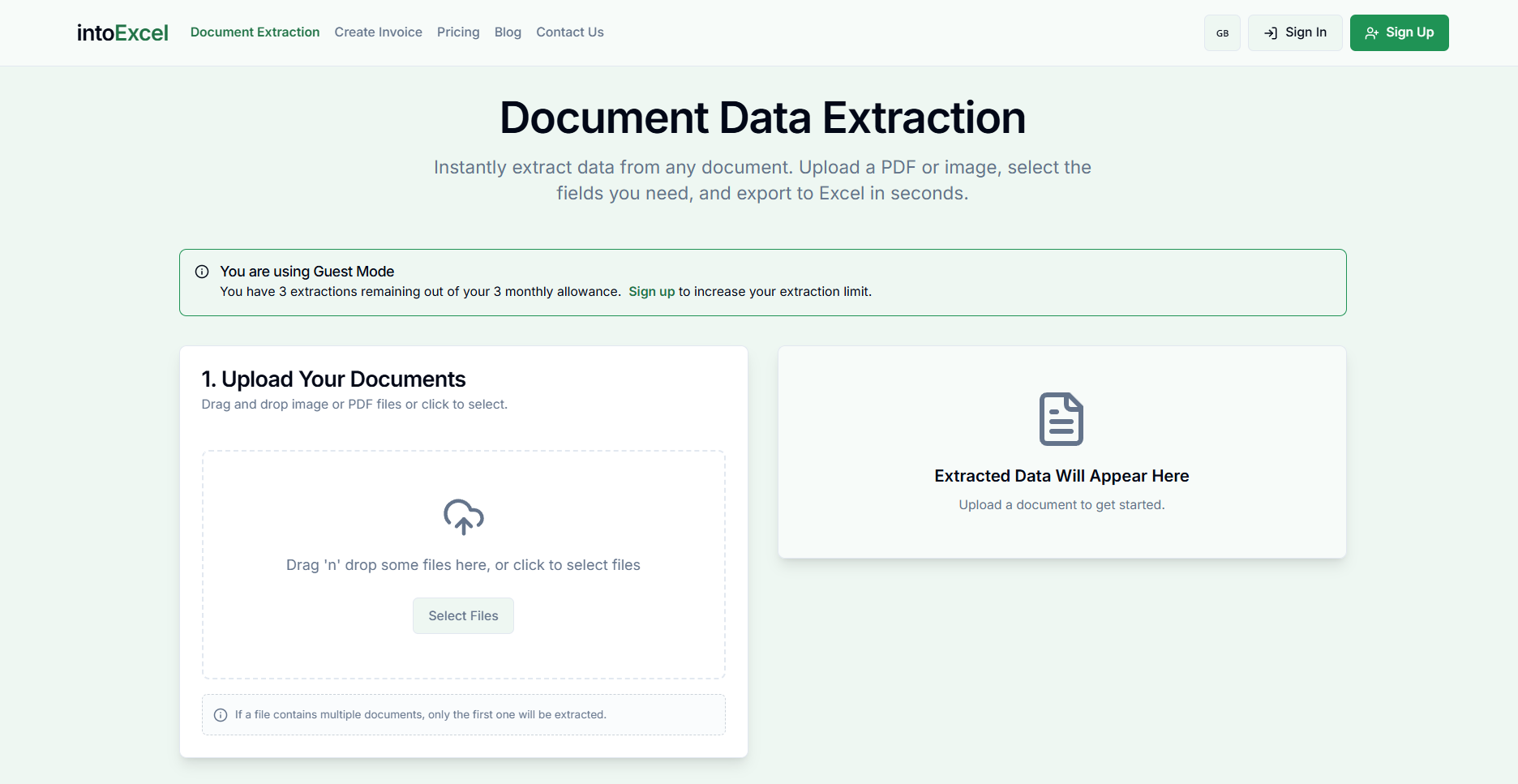
- Open the IntoExcel extraction page.
- Upload a readable PDF or image with one distinct invoice per file.
- Choose fields or create custom ones using Auto, Text, Number, Percentage or Currency.
- Select one row per document for an invoice register or one row per item for product and service analysis.
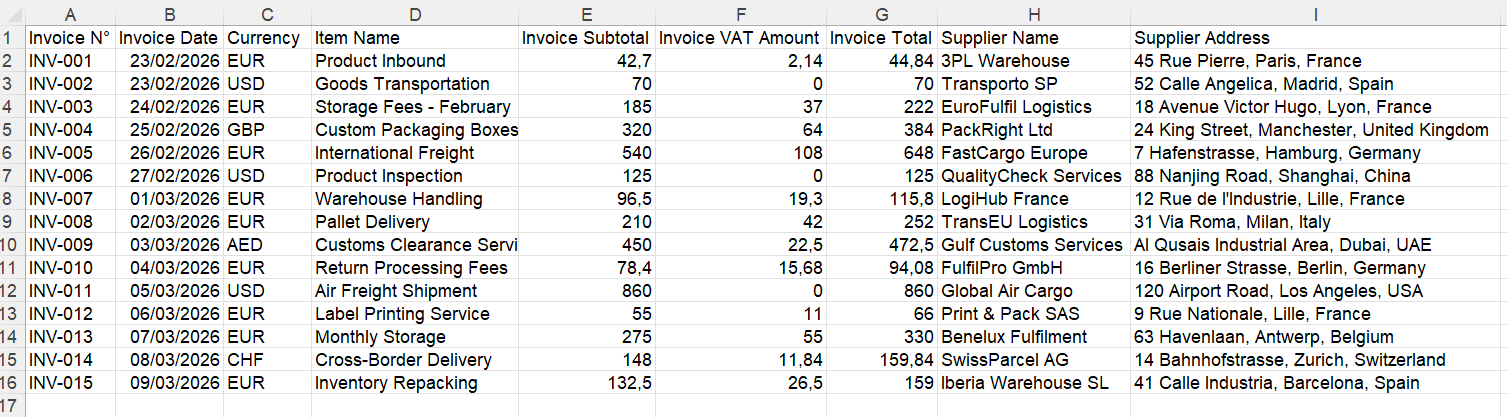
- Extract, inspect the editable table, correct errors and download Excel.
IntoExcel currently does not import standalone XML or connect to an accredited provider. Only information present in the supplied document can be extracted.
Check the spreadsheet before using it
Compare amounts, references and currencies with the originals. Missing values remain blank; they are not zero. In item mode, invoice totals can repeat across rows, so avoid counting them multiple times. Keep different currencies separate unless you apply an explicit conversion method.
The current extraction flow handles the first distinct document and returns up to 500 rows per file. Read notices and check completeness. Add payment and approval status from accounting records rather than inferring them.
For a hypothetical example, a trading business could use IntoExcel to review older PDF purchase invoices while its implementation team configures the accredited provider. The spreadsheet supports preparation; it does not prove compliance or replace original records. This is an illustration, not a customer story or savings claim.
Try one readable invoice on IntoExcel.com, then follow our structured invoice-to-Excel guide.
Ready to try it yourself?
Stop wasting hours on manual data entry. Extract your PDF data to Excel instantly with our AI-powered tool.
Extraction