Top 5 AI tools for solo entrepreneur
Build a focused AI toolkit for research, writing, planning, document extraction and automation without paying for overlapping features.

Running a business alone means switching between client work, research, emails and paperwork. The best AI tools for solo entrepreneurs should reduce a specific recurring task, with results you can check and costs you can understand.
This shortlist from IntoExcel.com covers five different jobs. It is an editorial selection, not an independent performance ranking. Prices and features were checked on October 16, 2026; USD prices, local taxes and billing options can differ. You do not need to subscribe to all five.
Choose the task before the subscription
| Tool | Task to evaluate | First result to test |
|---|---|---|
| IntoExcel | Extract document data | A reviewed invoice spreadsheet |
| Perplexity | Research a business question | A brief with verified sources |
| Grammarly | Improve client writing | An accurate, clearer email |
| Notion AI | Organize working knowledge | A plan grounded in your notes |
| AI by Zapier | Automate a repeatable handoff | A classified request saved for review |
1. IntoExcel: turn paperwork into usable Excel rows
For a freelancer handling supplier invoices, receipts or bank statements, IntoExcel.com can extract selected fields from PDFs and images into an editable table for Excel export. Choose one row per document for summaries or one row per item for repeated entries.
Price: 20 free extractions/month, $9/month for 200 on Pro, or $40/month for 1,000 on Business. See plans.
Start: open the extraction page, upload a representative invoice, choose fields such as supplier, date, reference, subtotal and currency, select the row mode, then extract, review and export. Custom fields support Auto, Text, Number, Percentage and Currency.
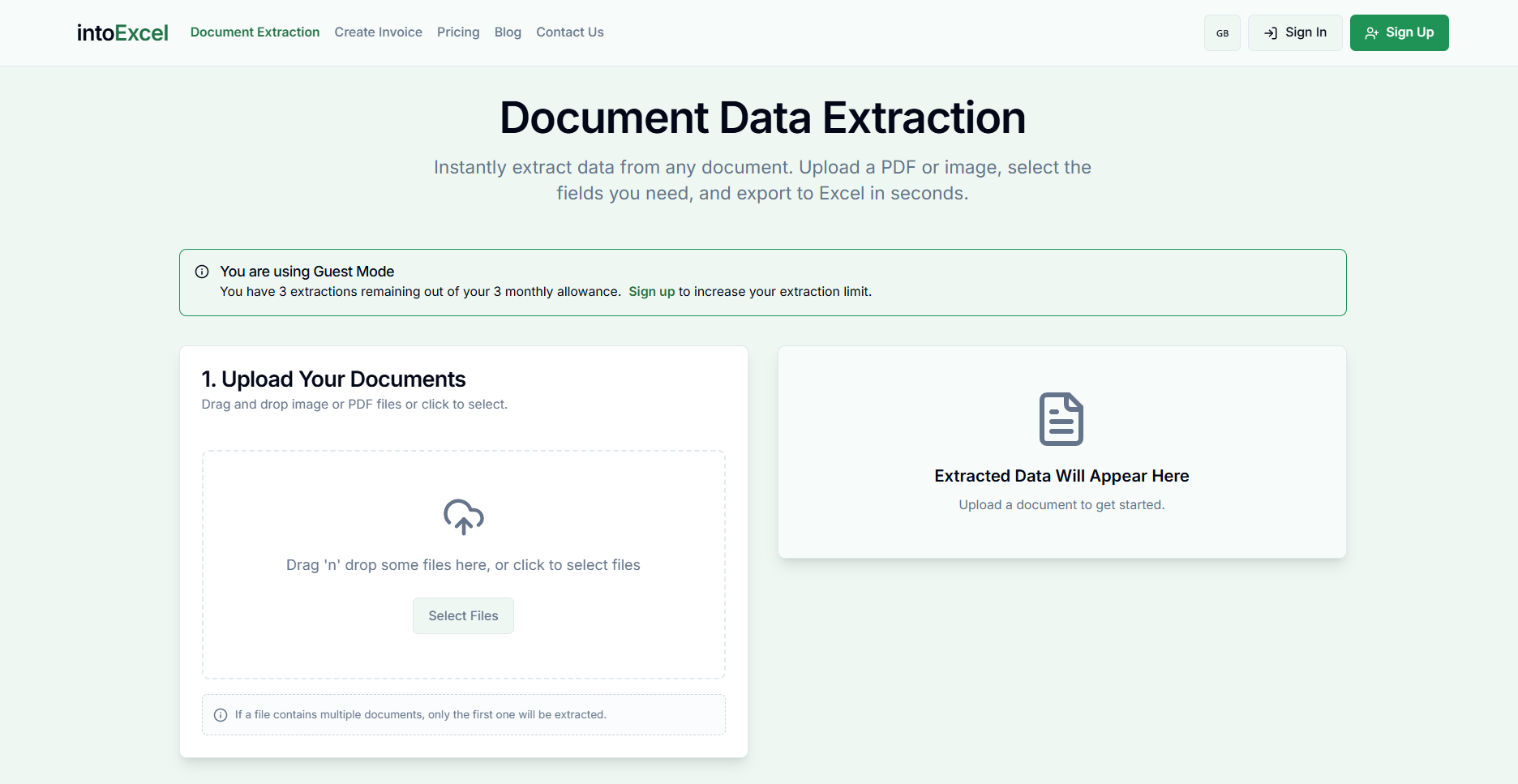
Limits: keep one distinct document per file. The current flow processes the first distinct document and returns at most 500 rows per file. Missing values remain blank. Check notices and amounts; extraction does not automatically reconcile payments or replace accounting review.
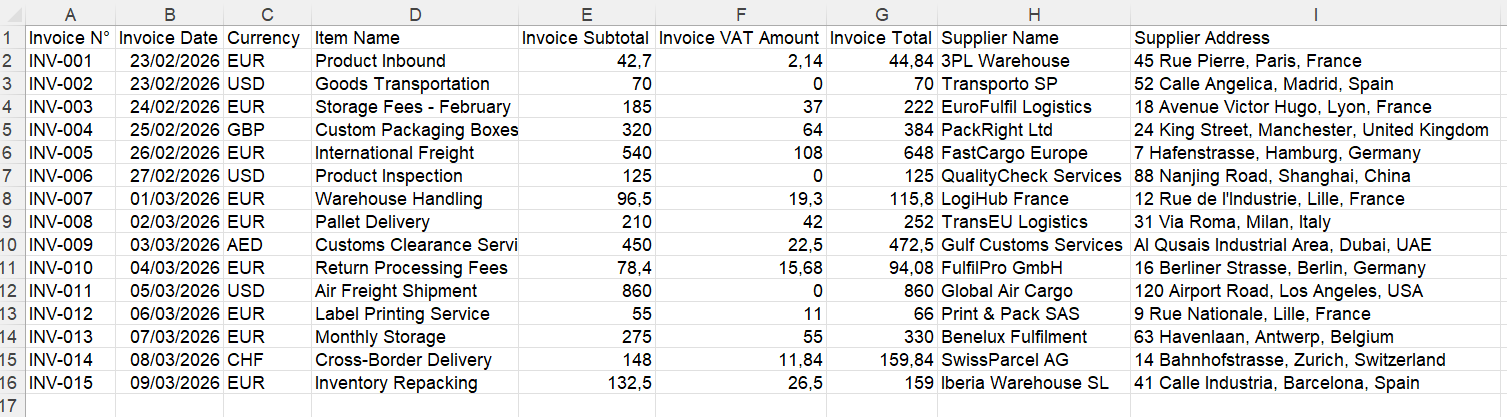
Example output, not a claim that every document extracts perfectly.
Try it on: a small batch with different supplier layouts. Count corrections as well as successful files.
2. Perplexity: research with sources to inspect
Use it to explore a market question or shortlist suppliers before opening the underlying sources. Its search modes provide sourced answers. Search guide.
Price: a free plan is available; Pro is $20/month or $200/year. Official overview.
Start: ask a narrow question with location, date range and decision criteria. Example prompt: “Compare three packaging suppliers for a small shop; link to their current delivery terms and mark anything you cannot verify.” This is a suggested research exercise, not a supplier recommendation.
Limits: advanced models and research features have usage limits; check your account rather than assuming unlimited access. Plan details.
Review: open original pages and check dates, prices and whether each citation actually supports the answer.
3. Grammarly: improve client-facing writing
Evaluate Grammarly for proposals and follow-up emails where clarity and tone matter. Its generative assistance can draft and rewrite text. Feature guide.
Price: Pro costs $30/month, or $144/year with annual billing. Pricing.
Start: install a supported app or extension, open a draft, select text and request a concise, professional rewrite. Desktop tutorial.
Limits: Pro advertises 2,000 AI prompts/month. Pro features. Check availability for your language and writing app. A polished sentence can still contain an incorrect promise.
Review: compare names, dates, amounts and scope against your original. Keep the version that sounds like you.
4. Notion AI: turn notes into a working plan
A candidate if project information already lives in Notion. AI can summarize or edit page content. Usage guide.
Price: Business is $20/member/month billed annually. Official plan reference. Free and Plus provide an AI trial; Business includes broader AI access. Plan comparison.
Start: put a brief in a page, select its text or use AI, then ask for a task list with proposed priorities and unresolved questions. Review before accepting edits.
Limits: Custom Agents use separately priced credits; do not assume every automation is covered by the seat price. Credit details.
Review: require the plan to distinguish confirmed decisions from suggestions. Do not let a summary silently invent deadlines or client commitments.
5. AI by Zapier: automate a well-defined handoff
Consider it after you can describe a repeatable process clearly: receive a request, classify it and save the result for review.
Price: Zapier Professional starts at $19.99/month billed annually; choose a task tier at checkout. Pricing.
Start: create a trigger, add AI by Zapier, define the input and output fields, test with sample requests, then map the output to a destination. Setup tutorial.
Limits: publishing AI steps requires a paid plan. Model tiers and tool calls change task consumption. Task pricing.
Review: test duplicates, missing fields and wrong classifications. Start with an internal queue instead of automatically sending client messages. This is a generic automation example, not a claim of a native IntoExcel–Zapier integration.
A practical way to choose your first tool
Run a hypothetical one-week trial on your own work. Pick one recurring task, record setup time, review time and corrections, and compare that with your current process. No savings figure is assumed.
Keep only subscriptions with a distinct role. Annual billing may lower the monthly equivalent but commits more money upfront. Check renewal terms, usage allowances and data-handling settings before adding client information.
If copying document details is your bottleneck, start with the IntoExcel extraction tool and our guide to structured invoice Excel files. Add another tool only when the next recurring task justifies it.
Ready to try it yourself?
Stop wasting hours on manual data entry. Extract your PDF data to Excel instantly with our AI-powered tool.
Extraction