Poland KSeF: How Businesses Can Export Invoice Data to Excel
Organize Polish invoice data in Excel while preserving source references and avoiding duplicated totals.
A KSeF invoice export to Excel can help a business review purchases, compare suppliers and prepare internal reports. Start by checking which data your accounting software already provides. Structured exports usually avoid the need to read an invoice again with AI.
IntoExcel.com accepts PDFs and images, not standalone XML. It can extract a readable invoice copy into Excel, but does not connect to KSeF, submit invoices or verify their official status.
Information checked on November 11, 2026.
Understand the KSeF context
Poland’s mandatory KSeF rollout began in stages in 2026. Exceptions and transitional provisions affect who must issue invoices through it. Check your situation in the official scope guidance.
The Ministry provides free KSeF tools. They serve electronic invoicing; your commercial accounting software may have separate subscription or export charges.
The Taxpayer Application manual documents XML/PDF downloads: select invoices, use “Pobierz” and choose a format. Version 2.3 describes a limit of ten invoices per operation. Access depends on permissions.
Choose your route to Excel
| Starting point | Suggested route |
|---|---|
| Accounting software offers a detailed CSV/XLSX export | Use that export and map its columns |
| You have structured XML | Use compatible invoice software to export the required data |
| You have a readable PDF | Extract its visible fields with IntoExcel |
| You need a full compliance or submission workflow | Keep that work in the appropriate invoicing system |
A list of invoice totals is not necessarily a full export of invoice lines. Check the content before using it for purchasing analysis. If only XML is available and you need the PDF route, obtain a readable rendering from compatible software. Renaming an extension does not convert a file.
For a direct export, select the period and document types, request the relevant fields, then compare document counts and sample totals against the originals. Keep repeating invoice lines separate from other repeating sections, such as payment schedules.
Build a register that preserves references
Use separate columns for the supplier’s invoice number and the KSeF reference. Keep identifiers as text and verify them against the source.
| Suggested column | IntoExcel kind | Review |
|---|---|---|
| Supplier name and tax identifier | Text | Preserve identifiers and leading zeros |
| Invoice number and KSeF reference, where visible | Text | Do not merge distinct references |
| Invoice date and due date | Text | Confirm the date convention |
| Net, VAT and total amounts | Number | Compare with the invoice |
| Currency | Currency | Separate PLN, EUR and other currencies |
| Item description and quantity | Text / Number | Match each entry to its source |
These are suggested management columns, not a complete legal invoice schema. Add payment status and internal approval information from your accounting records, not from assumptions about the document.
Extract a readable copy with IntoExcel
- Open the IntoExcel extraction page.
- Upload a PDF or image with one distinct invoice per file.
- Choose existing fields or create custom fields with a name and kind: Auto, Text, Number, Percentage or Currency.
- Select one row per document for a register, or one row per item for repeated products and services.
- Run extraction, inspect the editable table, correct errors and download Excel.
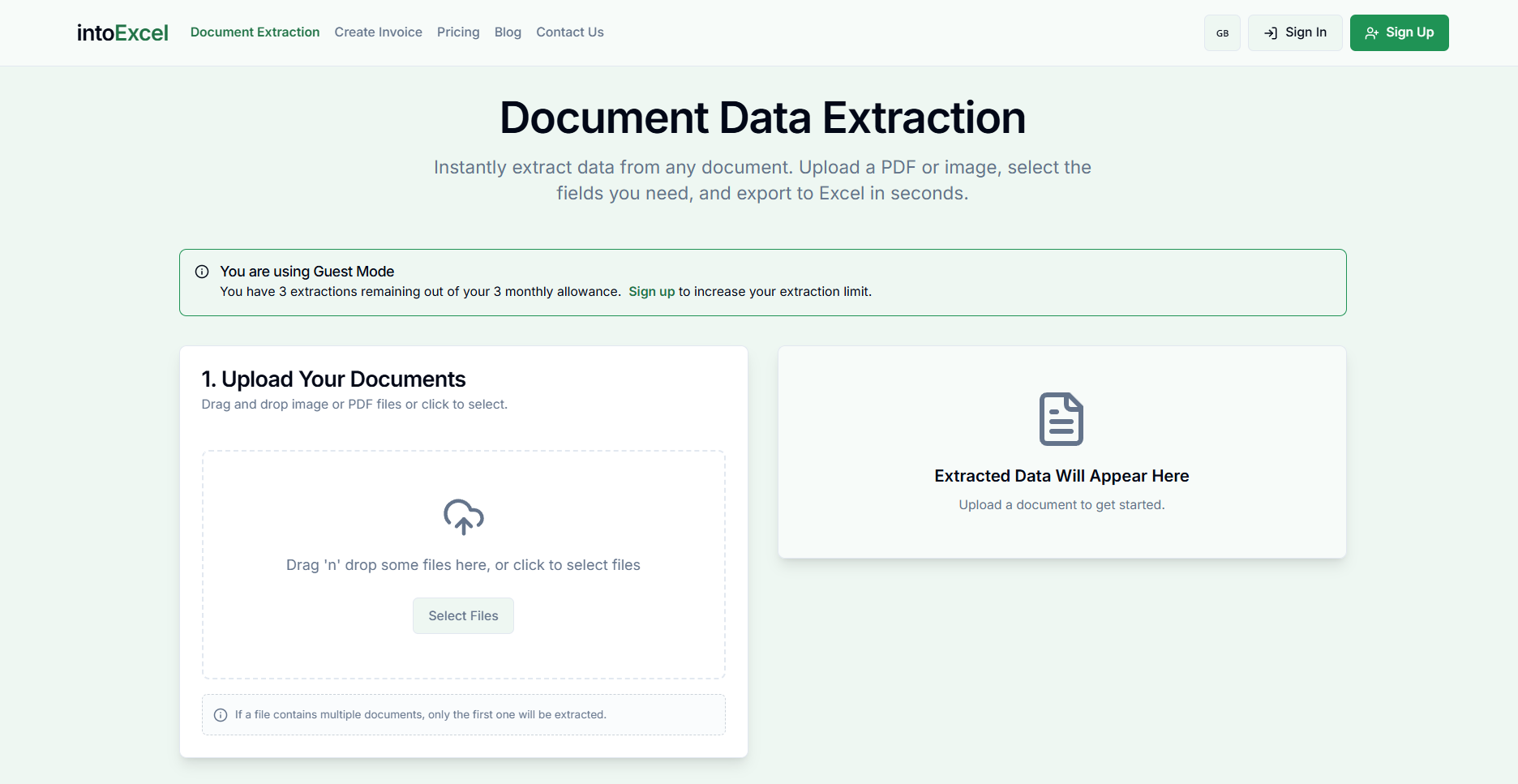
Only information present in the supplied copy can be extracted. If a reference is absent from the rendering, retrieve it from the original record rather than guessing.
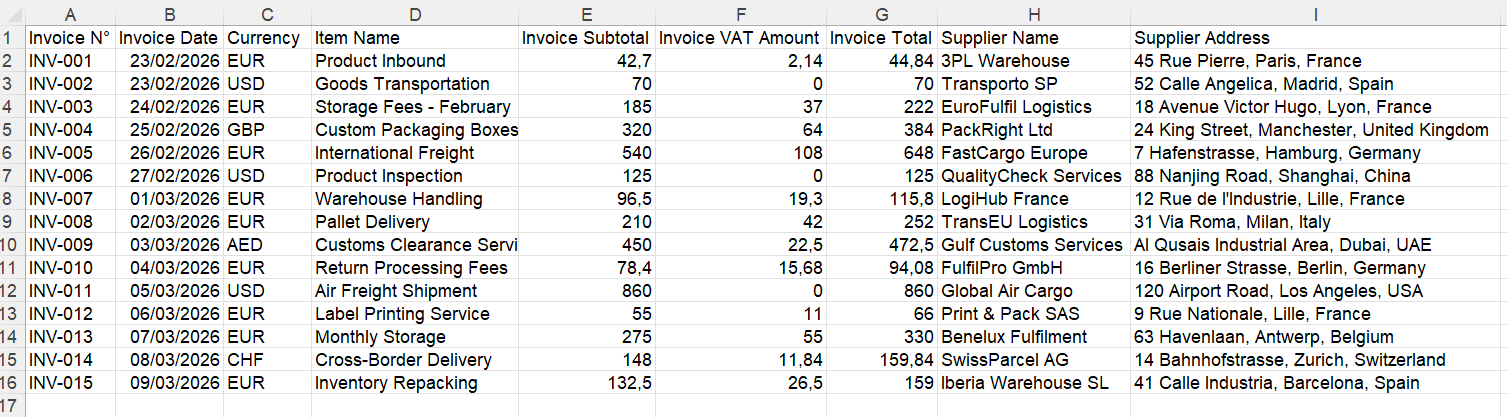
Check the workbook before using it
In item mode, shared invoice totals may repeat across rows. Do not sum these as separate invoices. Check correction documents, signs, discounts and rounding before calculating balances.
Missing values remain blank, not zero. Review currency and decimal interpretation, and compare identifiers when checking possible duplicates. Keep a filename or link back to the source.
The current IntoExcel flow processes the first distinct document in a file and returns up to 500 rows per file. Read notices and check completeness. The Excel workbook is a working table; keep the source invoice and official records in your established process.
A hypothetical monthly workflow
A Polish purchasing team exports structured records from its accounting system. For PDF copies needed in a separate review, it uses IntoExcel with matching columns. A reviewer checks the amounts and references before combining the tables. This is an illustrative workflow, not a customer story or measured savings claim.
Try a readable invoice on IntoExcel.com, then consult our structured invoice-to-Excel guide.
Ready to try it yourself?
Stop wasting hours on manual data entry. Extract your PDF data to Excel instantly with our AI-powered tool.
Extraction