France's E-Invoicing Reform: How IntoExcel Helps Entrepreneurs Manage Invoices
Separate compliant invoice exchange from day-to-day tracking: key French reform dates and a practical IntoExcel workflow for reviewed invoice spreadsheets.

France's e-invoicing reform changes how businesses exchange invoices. Entrepreneurs still need a clear view of suppliers, amounts and references. IntoExcel.com can help prepare that working view in Excel, alongside the system used for compliant invoicing.
Updated October 21, 2026. This guide explains the general framework; confirm your particular transactions and obligations with your accountant or the tax administration.
Who is concerned?
Domestic B2B transactions between French-established VAT-taxable businesses are the core scope, including businesses under the franchise en base regime. Exemptions and specific situations require checking. Official overview.
The 2026–2027 timetable
| Date | Main requirement for businesses in scope |
|---|---|
| September 1, 2026 | All sizes receive; large and intermediate-sized businesses issue |
| September 1, 2027 | SMEs and micro-enterprises issue |
Official timetable. The first stage has already begun: a small company's later issuing deadline is not a reason to postpone receiving readiness.
A PDF or an Excel file is not enough
An ordinary PDF sent by email does not itself meet the reform's electronic-invoice definition. Tax administration explanation. Formats include UBL, CII and Factur-X, which combines readable PDF content with structured XML. Format overview.
Businesses use an approved platform (plateforme agréée) for the required exchange and data transmission. Consult the official platform information and list. Before choosing, ask about your software connection, exports, support, retention and total cost; this article does not compare individual platform offers.
E-reporting is a separate obligation relevant to certain transactions outside domestic B2B e-invoicing, including consumer and international transactions. Official e-reporting guide. Determine the applicable reporting rules with your accountant; an Excel register is not an e-reporting submission.
Where IntoExcel fits
IntoExcel is a document-data extraction tool, not an approved e-invoicing platform. The current app does not issue compliant structured invoices, transmit them to the administration, validate Factur-X XML or perform statutory archiving.
Its role is practical: extract selected information from PDFs or images, review it in an editable table and export Excel for internal tracking. Use your approved platform or compatible invoicing software for the regulated workflow.
| Need | Appropriate workflow |
|---|---|
| Send and receive regulated invoices | Approved platform / connected compatible software |
| Prepare a working invoice register from readable files | IntoExcel, followed by review |
| Confirm payment, tax treatment or filing | Your records and accounting process |
If your platform already exports clean structured data, use that export first. Re-extracting a readable copy is unnecessary when the fields you need are already available reliably.
A step-by-step invoice register
1. Keep the original and prepare a readable copy
Keep the original electronic invoice and associated records in your established retention process. Where available, use a readable PDF copy for extraction. Do not replace the original with the resulting workbook.
IntoExcel's upload interface accepts PDFs and images, not standalone UBL/CII XML. Reading the visible PDF portion of a hybrid invoice does not validate its embedded structured data.
2. Select useful columns
Open the IntoExcel extraction page and upload one distinct invoice per file. Select default fields or create custom fields such as:
| Suggested field | Kind | Review point |
|---|---|---|
| Supplier and invoice number | Text | Preserve identifiers and leading zeros |
| Invoice date and due date | Text | Check ambiguous dates |
| Net amount, VAT amount, total | Number | Compare with the source |
| VAT rate | Percentage | Check multiple rates |
| Currency | Currency | Confirm what the document establishes |
This is a management-table suggestion, not a complete list of mandatory invoice particulars.
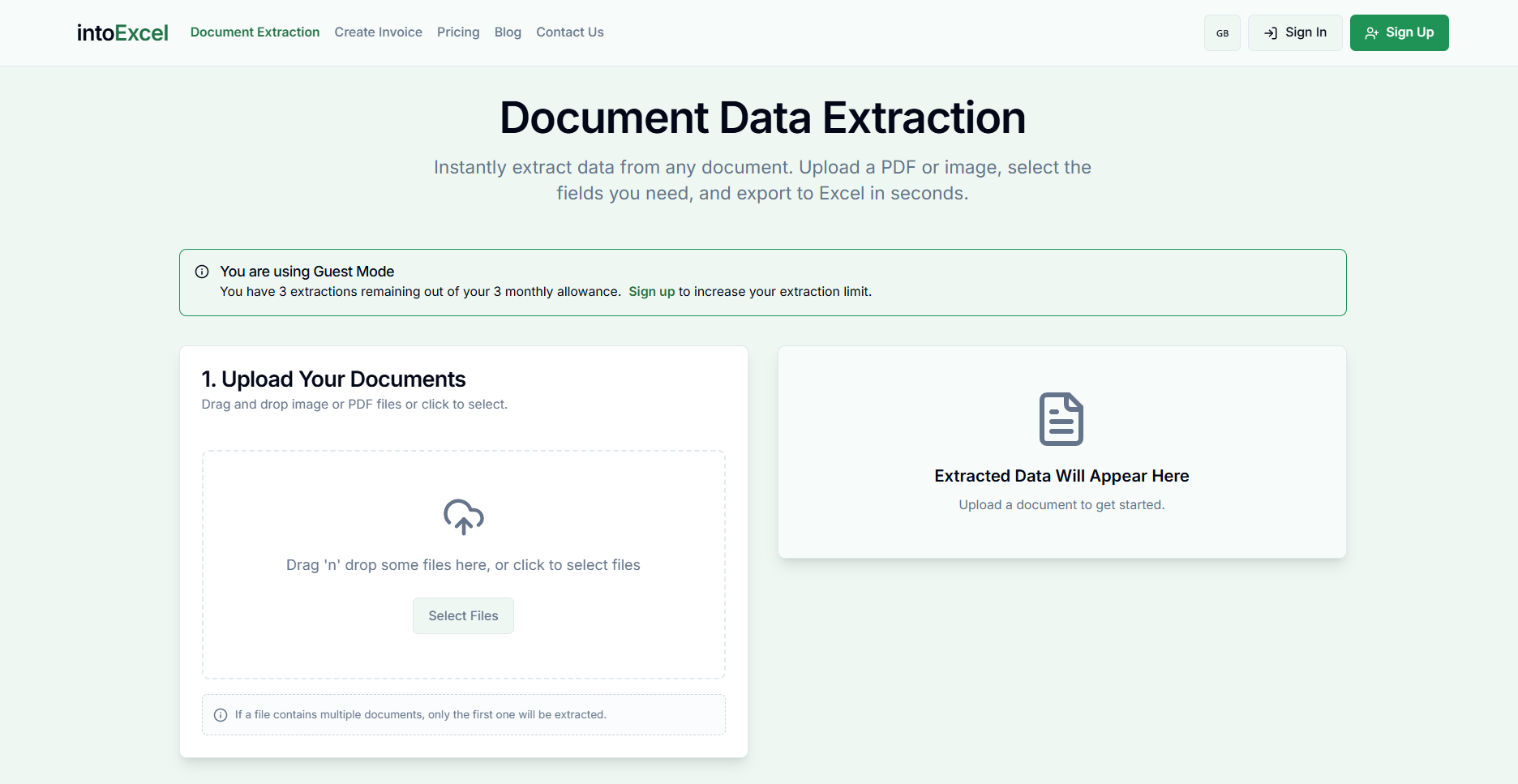
3. Choose rows and review
Use one row per document for an invoice register. Choose one row per item for detailed products or services; avoid summing invoice totals repeated on item rows.
Check supplier, reference, amounts and missing values against the source. Blank cells mean information was not found, not zero. The current flow processes the first distinct document in a file and returns up to 500 rows per file; inspect notices.
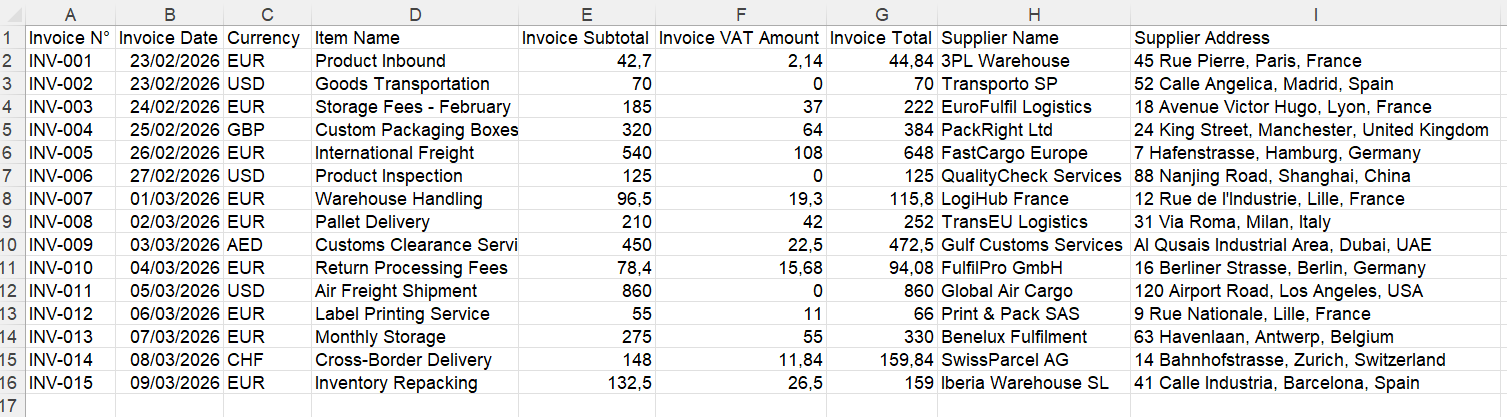
Example of a working table, not proof of invoice compliance or payment.
4. Add your tracking information in Excel
After export, you can add source-file references, review status and payment status supported by your own records. Do not infer “paid” from a due date or treat extracted VAT as a tax decision.
Hypothetical example: a consultant receives invoices through an approved platform and has older PDF invoices to organize. They extract readable copies into consistent columns, check them, and give their accountant a working register. The original records remain in the invoice-management process; the spreadsheet complements them.
Prices and next steps
IntoExcel offers 20 free extractions/month, Pro at $9/month for 200, and Business at $40/month for 1,000. See current pricing. These allowances cover extraction, not approved-platform services.
Start with one invoice on IntoExcel.com. For more detail, follow the structured invoice-to-Excel guide. Build a useful, checked register while keeping compliant exchange and reporting in the appropriate system.
Ready to try it yourself?
Stop wasting hours on manual data entry. Extract your PDF data to Excel instantly with our AI-powered tool.
Extraction