Top 5 OCR extraction Tools
A practical OCR shortlist covering ready-to-use Excel extraction, PDF conversion, cloud APIs and a local open-source engine, with checks before choosing.
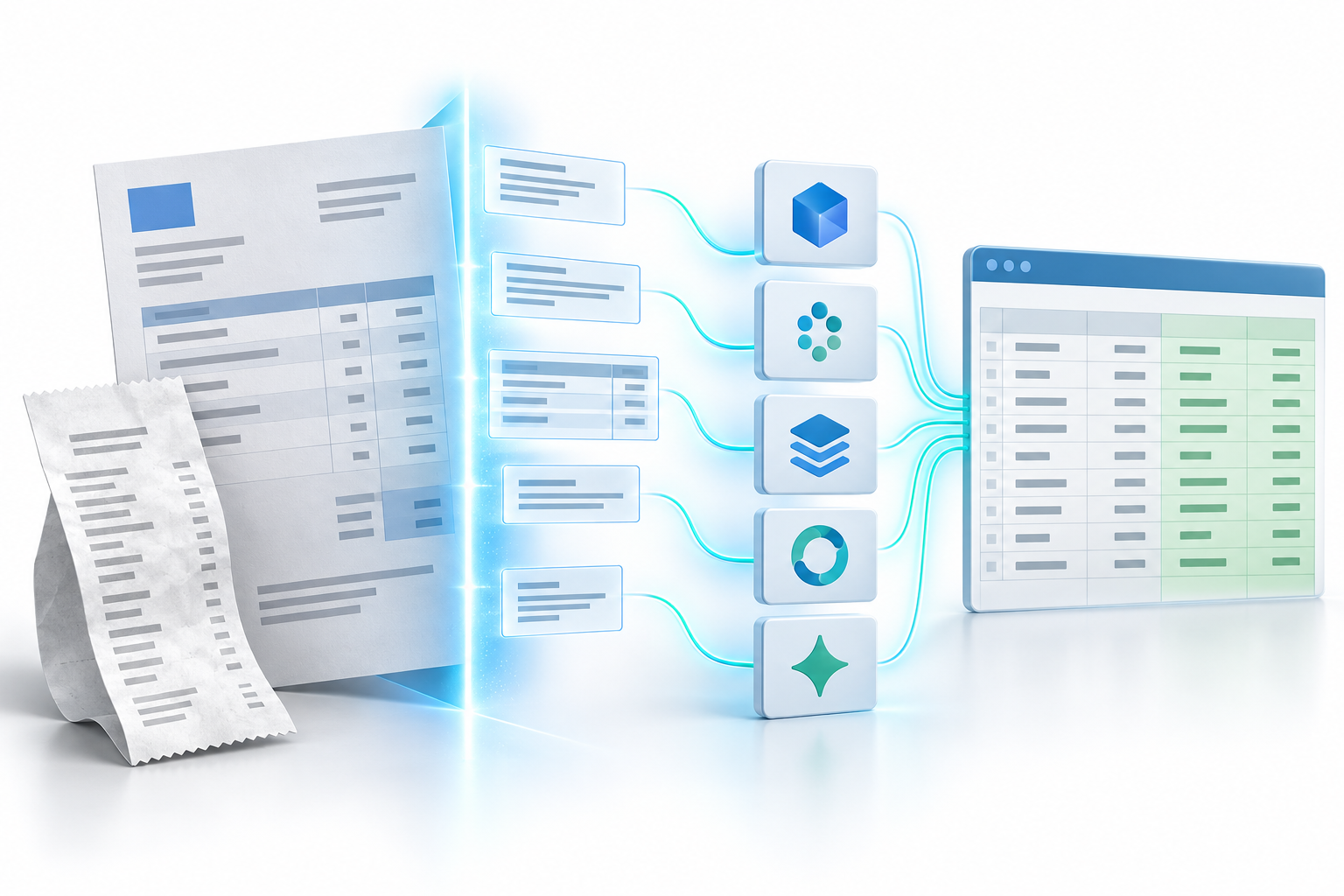
The best OCR extraction tool depends on the output you need. Reading text from a scan is one task; placing invoice numbers, totals and line items into consistent Excel columns is another.
Our five picks are IntoExcel.com, Adobe PDF Extract, Google Document AI, Amazon Textract and Tesseract. They cover different workflows rather than competing on exactly the same features.
Published by the IntoExcel team. Features checked against official documentation and IntoExcel's code on September 21, 2026. This is an editorial selection, not an independent accuracy benchmark or a measured ranking. Pricing can change.
OCR versus structured document extraction
OCR means optical character recognition: turning text in an image into machine-readable characters. Structured extraction goes further by assigning values to fields, such as “Invoice number” or “Total”, and organizing repeated entries.
Before comparing products, decide whether you want searchable text, a converted PDF table, a repeatable spreadsheet structure or an extraction component for your own application.
| Your task | Our suggested starting point | Main thing to evaluate |
|---|---|---|
| Selected fields in an Excel table | IntoExcel | Column choices and row mode |
| Extract PDF structure and tables through an API | Adobe PDF Extract | Structured output and integration |
| Build on Google Cloud | Google Document AI | Processor and integration work |
| Build on AWS | Amazon Textract | API output and application design |
| Run an OCR engine locally | Tesseract | Setup and subsequent data structuring |
1. IntoExcel: for extracting selected data to Excel
IntoExcel.com lets you upload PDFs or images, select default or custom fields, review the extracted table and export to Excel. It is an AI document-extraction application, not a standalone OCR engine.
Choose one row per document for an invoice register or one row per item for products, transactions or other repeated entries. Custom fields support Auto, Text, Number, Percentage and Currency. Text is useful for identifiers with leading zeros; amounts usually need Number.
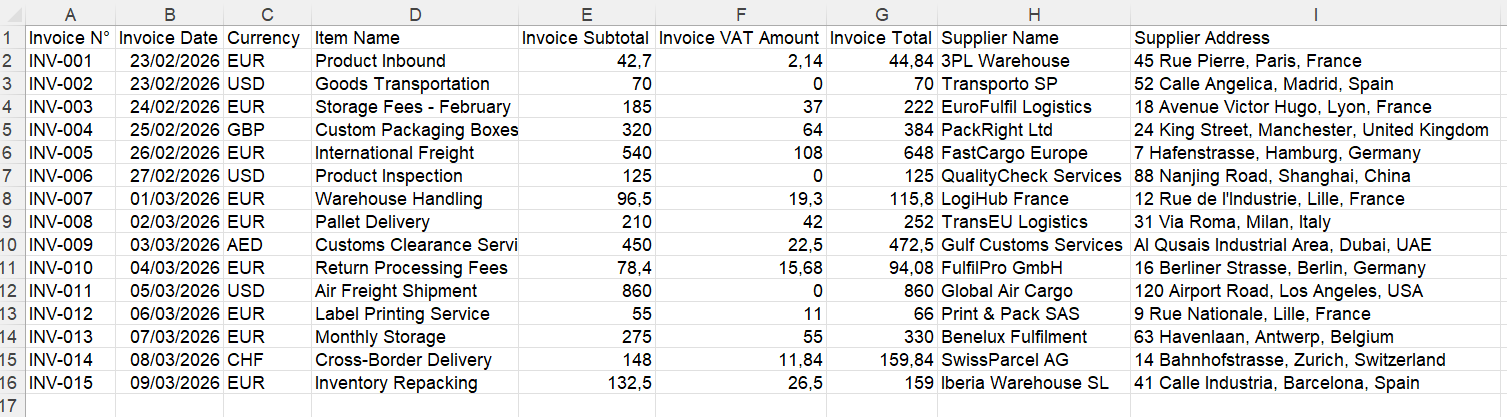
Example of a document-level table. Your field selection determines the columns.
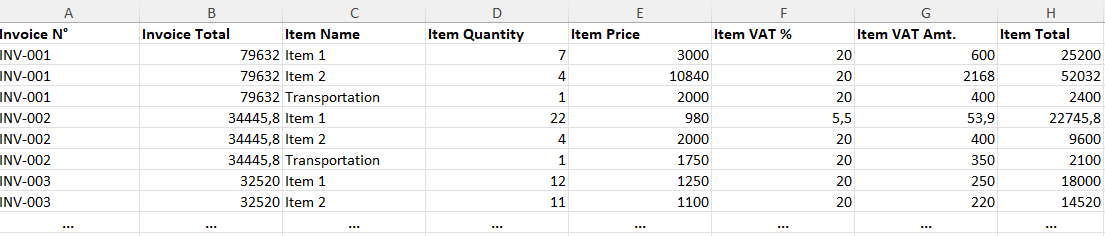
Example of item-level output. Do not sum document totals repeated beside multiple items.
Current plans include 20 free extractions per month, Pro at US$9/month for 200 extractions, and Business at US$40/month for 1,000 extractions. See IntoExcel pricing for current checkout terms.
Consider it when: your desired deliverable is a spreadsheet you can review and use yourself.
Check first: keep one distinct document per file; the current flow processes only the first document in a combined file. Output is limited to 500 rows per file. Missing values produce empty cells, while ambiguous numbers may remain text. Review notices and results before using them.
2. Adobe PDF Extract / Acrobat Services: PDF structure and tables
Adobe PDF Extract is a developer API, distinct from the desktop Acrobat converter. It extracts text, formatting, reading order, figures and complex tables from PDFs. Table data can be returned as CSV or XLSX alongside structured output.
Best fit: applications that need to preserve and reuse existing PDF structures. Extracting a table does not automatically assign your business meaning to every column; you may still need mapping and review.
Pricing: Adobe offers 500 free Document Transactions per month. For Extract PDF, each block of up to five pages counts as one transaction. Larger commercial volumes require Adobe's paid pricing rather than a universal public per-page rate. See Adobe's developer pricing.
3. Google Document AI: specialized and custom extraction
Google Document AI includes OCR, layout and table parsing, processors for invoices, expenses and bank statements, and a Custom Extractor for defining the fields or entities you want.
Indicative standard USD rates:
| Processor | Billing basis |
|---|---|
| Enterprise Document OCR | About $1.50 per 1,000 billable pages |
| Layout Parser | $10 per 1,000 pages |
| Form Parser / Custom Extractor | $30 per 1,000 pages in the initial tier |
| Invoice Parser | $0.10 per document block of up to 10 pages |
These are processor charges, not the complete application cost. Free allowances, volume tiers and commitment discounts can affect the bill; custom processor hosting and other cloud services can add costs. Check Google's official pricing.
Best fit: developers who need predefined document processors or their own extraction schema. Plan the upload, review and export workflow around the API.
4. Amazon Textract: forms, queries and invoice processing
Textract combines OCR with table extraction, forms and key-value pairs, queries and Custom Queries. Its AnalyzeExpense API is designed for invoices and receipts, including summary fields and line items. Custom Queries use an adapter tailored to your documents; they are distinct from standard Queries.
Initial-tier examples in US West (Oregon), in USD:
| Operation | Price per 1,000 pages |
|---|---|
| Basic OCR: DetectDocumentText | $1.50 |
| Tables | $15 |
| Tables + standard Queries | $20 |
| Invoices/receipts: AnalyzeExpense | $10 |
The $20 combination is not the Custom Queries price. Selected features, region and volume matter; forms are not included in the Tables-only figure. These analysis operations include OCR, so do not automatically add a separate OCR charge. See AWS's pricing.
Best fit: an AWS application that needs structured document data. Include integration, storage and review in your budget, not just the API calls.
5. Tesseract OCR: free engine, self-managed processing
Tesseract is a free, open-source OCR engine under Apache 2.0. Its core job is converting images and scans into machine-readable text. It does not inherently interpret invoice fields or table meaning; your application must supply that structuring logic.
Pricing: there is no Tesseract API fee when you run the engine yourself. You still cover your own computer or servers, infrastructure, maintenance and development. A third-party hosted service using Tesseract may charge separately.
Best fit: straightforward OCR where local control and low direct processing cost matter. It can be economical if you already have the technical skills and infrastructure, but is not automatically the cheapest complete invoice workflow. Its native output is not an XLSX business table.
Compare total cost, not just a headline price
The rates above are reference points checked on September 21, 2026, not quotes for your application. Compare the same workload and required output. A page charge, an Adobe transaction, an IntoExcel extraction and a monthly subscription are different billing units.
Include setup, hosting where relevant, corrections, review and integration. Recheck the vendor's current region, plan and billing terms before purchasing.
A practical test before choosing
Use the same representative files and expected columns in each tool:
- Include readable scans, digital PDFs and your usual document layouts.
- Compare references, dates, amounts and item counts with the originals.
- Open the actual export and test numeric calculations and leading zeros.
- Record missing or incorrect values and the corrections needed.
- Compare total effort, not only the upload step.
For a hypothetical pilot, test ten documents that reflect your normal workload. This is a suggested test design, not a claim about speed or accuracy.
If your priority is PDF or invoice data in a chosen Excel structure, start with the IntoExcel extraction tool. Review a small batch first, then decide whether its fields and row modes suit your work.
Ready to try it yourself?
Stop wasting hours on manual data entry. Extract your PDF data to Excel instantly with our AI-powered tool.
Extraction