AI Chatbots vs Dedicated Tools: What’s the Best Way to Extract Invoice Data?
Is ChatGPT the best tool for your invoices? We compare AI chatbots with dedicated extraction tools to help you find the most efficient workflow.
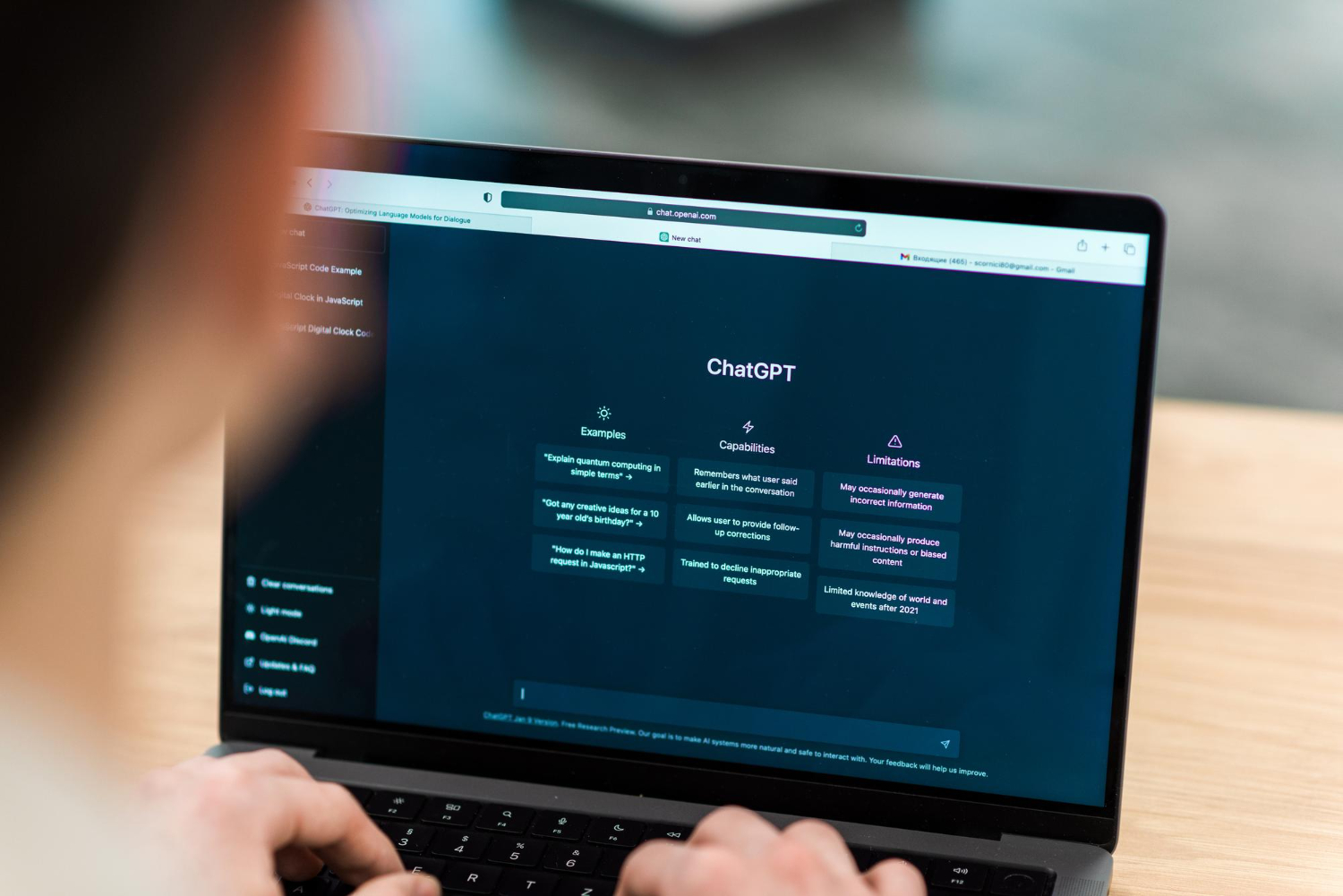
With the rise of AI, many people now try to extract data from invoices using AI chatbots like ChatGPT.
It works to some extent.
But is it really the best solution for extracting structured data from invoices at scale?
In this article, we compare AI chatbot-based extraction with dedicated tools like IntoExcel to help you choose the right approach.
Can AI Chatbots Extract Invoice Data?
Yes, AI chatbots can analyze documents and extract information.
For example, you can:
- upload an invoice
- write a prompt like
"Extract supplier name, invoice number, and total" - receive structured output
This makes chatbots a convenient solution for quick, one-off tasks.
The Limitations of Chatbot-Based Extraction
While chatbots are powerful, they are not designed specifically for document processing workflows.
1. Manual Process
Each document requires:
- uploading the file
- writing a prompt
- checking the output
This becomes time-consuming when dealing with dozens or hundreds of invoices.
2. Upload Limits (Major Limitation)
Most AI chatbots impose file upload limits.
Typical limitations include:
- maximum number of files per session, often around 5 to 10 files
- file size limits
- session resets
This becomes a serious problem when you need to process large volumes.
For example:
- 10 files max works for small tasks
- 1000 invoices becomes completely impractical
You would need to repeat the process hundreds of times, which removes any productivity gain.
3. Inconsistent Output
Chatbot responses can vary depending on the prompt.
For example:
- different column names
- inconsistent formats
- missing fields
This makes it harder to build clean, structured datasets.
4. No Batch Processing
Most chatbot workflows process one document at a time.
There is no built-in system for:
- bulk uploads
- multi-document extraction
- automatic processing
5. Limited Excel Integration
Even if a chatbot extracts the data, you still need to:
- copy the output
- paste it into Excel
- reformat it
This adds extra steps to the workflow.
6. Pricing and Usage Limits
While chatbots often offer a free plan, it comes with strong limitations:
- limited number of requests per day
- limited file uploads
- slower processing
For heavy usage, you need a paid plan. Even then:
- pricing is not optimized for document extraction
- costs are not predictable per document
For businesses processing hundreds of invoices, this becomes inefficient.
How Dedicated Tools Like IntoExcel Work
IntoExcel is designed specifically for document data extraction workflows.
Instead of prompting an AI manually, the process is automated:
- upload one or multiple documents
- select the fields to extract
- let the system process everything
- download a structured Excel file
Example of Automated Invoice Extraction
Below is an example of how invoices are automatically converted into structured Excel data.
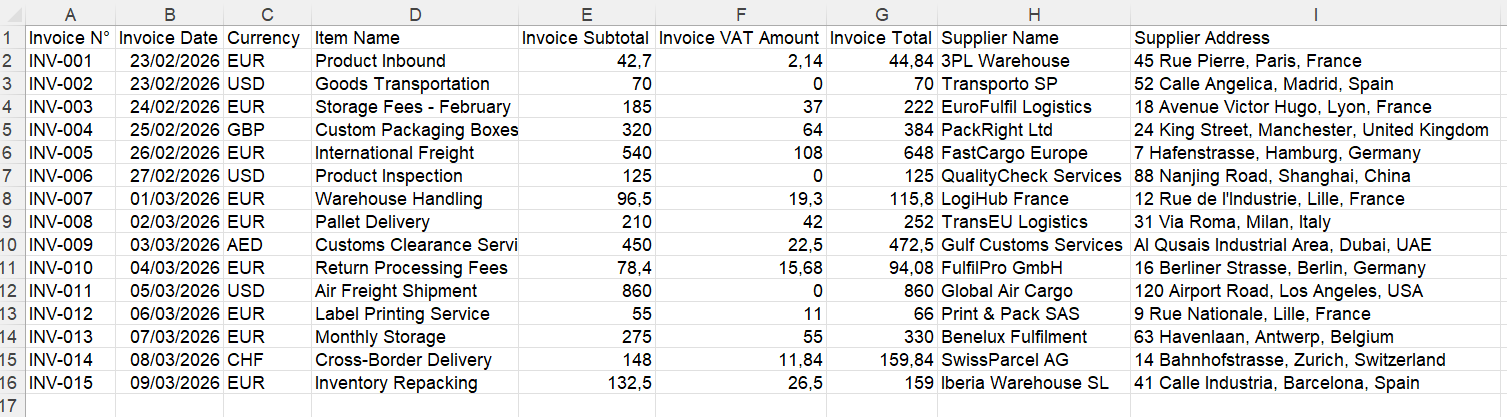
No manual prompts and no copy paste. Just structured output.
Key Differences: Chatbots vs IntoExcel
| Feature | AI Chatbot | IntoExcel |
|---|---|---|
| Ease of use | Medium (requires prompts) | Very easy |
| Speed | Slow for multiple documents | Fast with bulk processing |
| File limits | Yes, often around 10 files | No practical limit |
| Consistency | Variable | Structured and consistent |
| Excel export | Manual | Automatic |
| Line item extraction | Limited | Fully supported |
| Scalability | Low | High |
| Pricing clarity | Unclear | Clear cost per document |
When to Use an AI Chatbot
Chatbots are useful when you:
- extract data from a single document occasionally
- need quick answers or summaries
- test ideas or explore document content
When to Use IntoExcel
A dedicated tool is better when you:
- process invoices regularly
- need structured Excel output
- work with large volumes such as 100+ documents
- want consistent data
- need line item extraction
Why Dedicated Tools Are Better for Business Workflows
Businesses need:
- speed
- reliability
- scalability
- predictable costs
While chatbots are flexible, they are not optimized for high-volume document processing.
IntoExcel is designed specifically for this use case, making it much more efficient for real workflows.
Try IntoExcel
If you currently use manual prompts or copy paste workflows, switching to automation can save a lot of time.
👉 Try IntoExcel
Upload your invoices and receive a structured Excel file instantly.
Start here:
https://intoexcel.com
You can begin with free extractions to test the system.
Final Thoughts
AI chatbots are powerful tools, but they are not always the best solution for structured data extraction.
For occasional use, they can work well.
For business workflows, they quickly reach their limits.
Dedicated tools like IntoExcel offer:
- no file upload limits
- consistent output
- scalable processing
- predictable cost per document
For anyone working with invoices regularly, automation tools provide a much more efficient and reliable solution.
Ready to try it yourself?
Stop wasting hours on manual data entry. Extract your PDF data to Excel instantly with our AI-powered tool.
Extraction